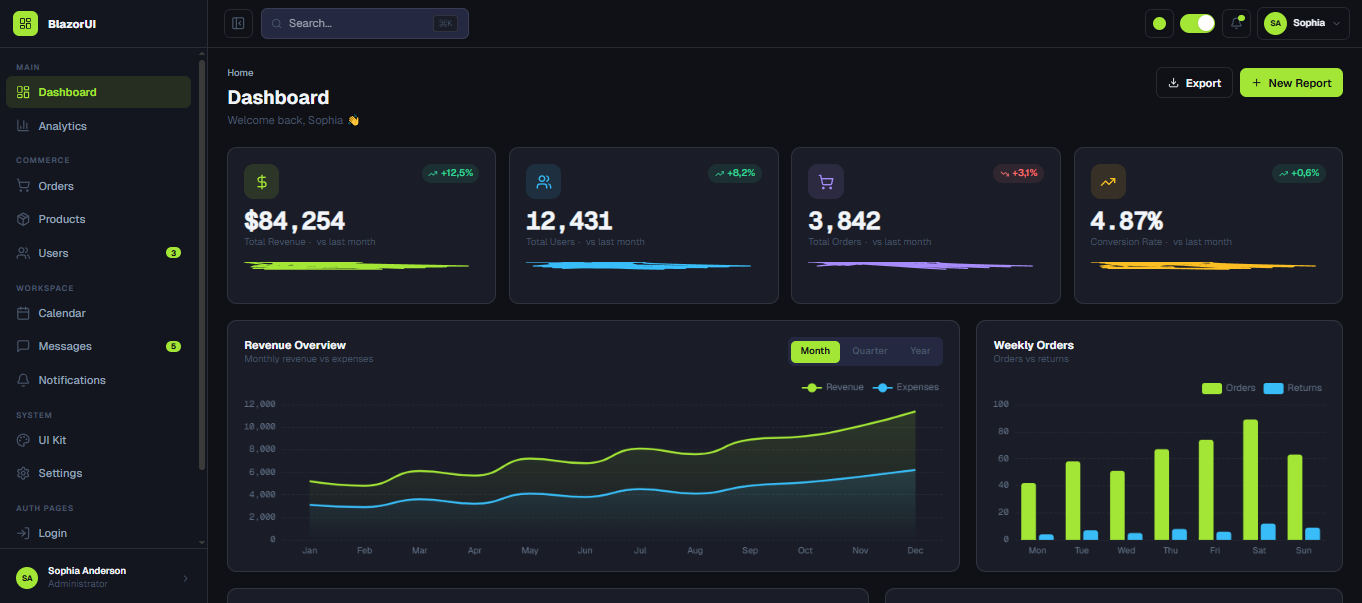
About Admin Dashboard V1
Admin Dashboard V1 is a premium Blazor admin panel template designed for enterprise applications, SaaS back-offices, and data-driven management tools. It features a clean and modern UI with a dark/light theme toggle, interactive charts, a rich data table, and a fully responsive sidebar layout. The design is built with Tailwind CSS and extended with custom components for advanced data visualization and user management. This admin dashboard template was built with Blazor WebAssembly and .NET 9.
How to Use
To get started with the Admin Dashboard V1 template, follow these steps:
- Open a terminal in the project's root directory.
- Run
npm installto install the necessary Node.js dependencies, including Tailwind CSS. -
In the same terminal, run
npm run tw:watchto compile the Tailwind CSS and generate the required CSS file. For development, you can also use watch mode to automatically rebuild when files change. - Open a new terminal.
- Run
dotnet watch runto build and launch the Blazor application. The project will be available athttps://localhost:5001(or another specified port). - You can now customize the dashboard by editing the Razor files in the
Componentsdirectory and adjust the color tokens and chart configurations to fit your brand.
Key Features
- Clean and modern admin panel design tailored for enterprise and SaaS back-offices
- Dark / Light theme toggle with smooth transitions
- Fully responsive layout with a collapsible sidebar for all screen sizes
- Interactive charts and analytics widgets (line, bar, doughnut)
- Advanced data tables with sorting, filtering, and pagination
- User management and role-based access control UI
- Notification center and activity feed components
- Built with Blazor WebAssembly for optimal performance
- Easily customizable with Tailwind CSS and CSS custom properties